
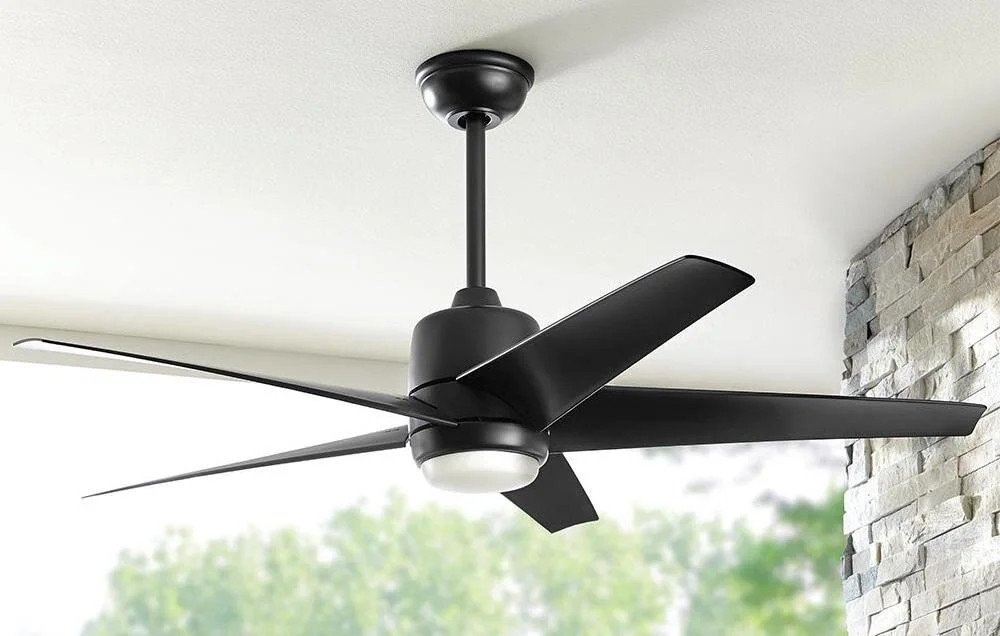

Hunter has been making ceiling fans since 1886, and the fan you bought at the home center was designed to be installed by a homeowner in about two hours with basic hand tools. The motor housing is pre-assembled. The wiring harness uses color-coded connectors that plug together rather than requiring wire nuts on every connection. The mounting bracket is designed to hang the fan motor temporarily while you make the electrical connections, which eliminates the most awkward part of ceiling fan installation, holding a twenty-pound motor above your head with one hand while connecting wires with the other, points out American Heritage Properties Chula Vista team. The Hunter installation system is genuinely well-designed for DIY installation, and the instruction manual that comes in the box is worth reading before you start.
The most difficult part of installing a ceiling fan is not the fan. It is the electrical box in the ceiling. A ceiling fan weighs between fifteen and thirty pounds and vibrates continuously while running. A standard light fixture electrical box, which is nailed to a single joist, cannot support the weight and will eventually pull loose. A ceiling fan must be mounted to a fan-rated electrical box that is securely attached to a ceiling joist or to a braced bracket spanning between two joists. If the existing box is not fan-rated, replacing it with a fan-rated box is the first step of the installation and the only part that requires working in the attic or cutting into the ceiling.
The Electrical Box — The Part That Determines Whether the Fan Stays on the Ceiling
Turn off the breaker that controls the existing ceiling fixture. Remove the old fixture and look at the electrical box. A fan-rated box will be stamped with the words acceptable for fan support and will be attached to a joist with heavy screws or lag bolts, or to a metal brace bar that spans between two joists. A standard plastic box nailed to a joist is not fan-rated. A standard metal box screwed to a joist from the inside may or may not be fan-rated. If the box is not stamped, assume it is not rated for a fan. The consequences of a fan falling from the ceiling are severe enough that guessing is not acceptable.
If the existing box is not fan-rated and you have access to the attic above, replace the box from above. Remove the old box, install a fan-rated saddle box that straddles the joist, and secure it with the manufacturer’s specified screws. Run the existing wiring into the new box. If you do not have attic access, use an old-work fan brace that installs through the existing hole in the ceiling. The brace is a metal bar that expands between two joists. You insert it through the hole, rotate it to extend the bar until it contacts both joists, tighten it until it is secure, and attach the fan-rated box to the brace. An old-work fan brace costs about twenty dollars and solves the box problem without cutting into the ceiling.
The Hunter Mounting Bracket and Hanging the Motor
Attach the Hunter mounting bracket to the electrical box with the screws provided. The bracket has a hook or a slot that holds the fan motor temporarily while you connect the wiring. The bracket must be oriented so the open side of the hook or slot faces the direction you will be working from. Tighten the bracket screws firmly. The bracket carries the weight of the fan, and a loose bracket will allow the fan to wobble regardless of how well it is balanced.
Lift the fan motor and hang it on the bracket using the hook or the hanging slot. Hunter fans typically have a hanging ball or a hanging bracket on the downrod that engages with the mounting bracket. The motor should hang securely without you holding it. If the motor does not hang securely, the bracket is not oriented correctly or the hanging mechanism is not fully engaged. Do not release the motor until you are certain it is supported by the bracket alone.
Wiring the Hunter Fan — Color-Coded and Plug-Together
Hunter fans use a wiring harness with modular connectors that plug together. The house wiring connects to the harness with wire nuts. The harness then connects to the fan motor, the light kit, and the remote control receiver with plug-in connectors. The connections are color-coded and keyed so they cannot be plugged in backwards.
Connect the house ground wire, which is bare copper or green, to the green ground wire from the fan bracket and the green ground wire from the downrod, if separate, with a wire nut. Connect the house white wire, which is neutral, to the white wire from the fan harness. Connect the house black wire, which is hot, to the black wire from the fan harness. If the house wiring includes a red wire for separate fan and light control, and you are not using the Hunter remote control receiver, connect the red wire to the blue wire from the fan harness, which controls the light. If you are using the remote control receiver, connect the black and blue wires from the fan harness to the receiver output wires according to the receiver’s wiring diagram, and connect the house black wire to the receiver input wire. The receiver consolidates the separate fan and light control into a single power input and separates them at the ceiling.
Push the wire connections into the electrical box, not into the fan housing. The wires should be folded neatly so they do not interfere with the mounting bracket or the fan canopy. Install the receiver module in the mounting bracket if the fan includes a remote control. The receiver is a small plastic box that fits inside the bracket or the canopy. Tuck the receiver and the wires into the bracket so the canopy will fit flush against the ceiling.
Attaching the Blades, the Light Kit, and the Canopy
Remove the fan motor from the hanging position and secure it to the mounting bracket with the screws provided. The motor housing should sit flush against the bracket. Raise the canopy, the decorative cover that conceals the mounting bracket and the wiring, and secure it with the canopy screws. The canopy must be tight against the ceiling so it does not rattle when the fan runs.
Attach the fan blades to the blade brackets if they are not pre-attached, then attach the blade brackets to the motor. Hunter blades are matched in sets by weight. Each blade in the set should be attached to the motor in the order specified in the instructions, and the screws should be tightened evenly. A blade screw that is tighter than its neighbors pulls the blade out of balance. Tighten every blade screw to the same feel, snug but not wrenched down.
Attach the light kit to the bottom of the fan motor. The light kit wiring plugs into the connector from the motor or the receiver. The light kit itself attaches with screws that thread into the motor housing. Install the light bulbs specified in the instructions. Hunter fans with LED light kits typically have integrated LEDs that cannot be replaced, but the entire light kit can be replaced if the LEDs fail. If the fan uses replaceable bulbs, use bulbs of the wattage and type specified on the fan label. Higher-wattage bulbs overheat the light housing and can damage the wiring.
Balancing the Fan and Setting Up the Remote
Turn the breaker back on and test the fan at all speeds. A fan that wobbles is out of balance. Hunter includes a balancing kit with the fan, consisting of a plastic clip and adhesive weights. Attach the clip to the top edge of a blade, about halfway between the bracket and the tip. Run the fan at high speed. If the wobble decreases, that blade needs weight. Move the clip to the next blade and repeat. Find the blade where the clip most reduces the wobble. Replace the clip with an adhesive weight on the top surface of that blade, at the same position. A balanced fan runs silently and does not sway on the downrod.
If the fan includes a remote control, pair the remote with the receiver. The pairing process for Hunter fans typically involves turning the wall switch on and pressing and holding a button on the remote within sixty seconds, but consult the manual for the specific sequence. A remote that is not paired will not control the fan even if the wiring is correct. If the remote controls the light but not the fan, or vice versa, the receiver wiring connectors may be swapped. Open the canopy and verify that the fan motor wire and the light kit wire are connected to the correct receiver output ports.
The reversing switch on the fan motor changes the direction of the blades. In the summer, the fan should spin counterclockwise to push air downward and create a cooling breeze. In the winter, the fan should spin clockwise at low speed to pull air upward and circulate warm air trapped near the ceiling. The reversing switch is a small slide switch on the motor housing, and it is only operable when the fan is off. If the remote control includes a reverse button, the switch on the motor housing should be set to one position and left there.
FAQ — Installing a Hunter Ceiling Fan
My ceiling is sloped. Can I install a Hunter fan on a sloped ceiling?
Hunter fans can be installed on ceilings with a slope of up to thirty-four degrees using the standard mounting system, provided the downrod is long enough that the blades clear the highest point of the ceiling. For steeper slopes, Hunter sells an angled mounting kit that adapts the standard bracket to the ceiling angle. The fan must hang so the blades are parallel to the floor. A fan that hangs at an angle to the floor will wobble and the motor bearings will wear unevenly.
I installed the fan without the light kit. How do I cover the open connection at the bottom of the motor?
The fan includes a switch housing cap, a small metal dome that covers the opening where the light kit would attach. The cap is included in the box, usually packed with the light kit components. If you cannot find it, check every piece of packaging. A missing switch housing cap leaves the wiring connector exposed and the motor housing open to dust and insects.
Can I bypass the remote control receiver and wire the fan directly to the wall switches?
Yes. Remove the receiver from the wiring path. Connect the house black wire directly to the fan motor black wire, and the house red wire, if present, directly to the fan light blue wire. The wall switches then control the fan and the light directly, without the remote. The remote is a convenience feature, not a necessary component of the fan’s operation. The fan motor and the light kit run on standard household current, and the receiver intercepts that current and controls it remotely. Removing the receiver returns the fan to hardwired switch control.